Results with context
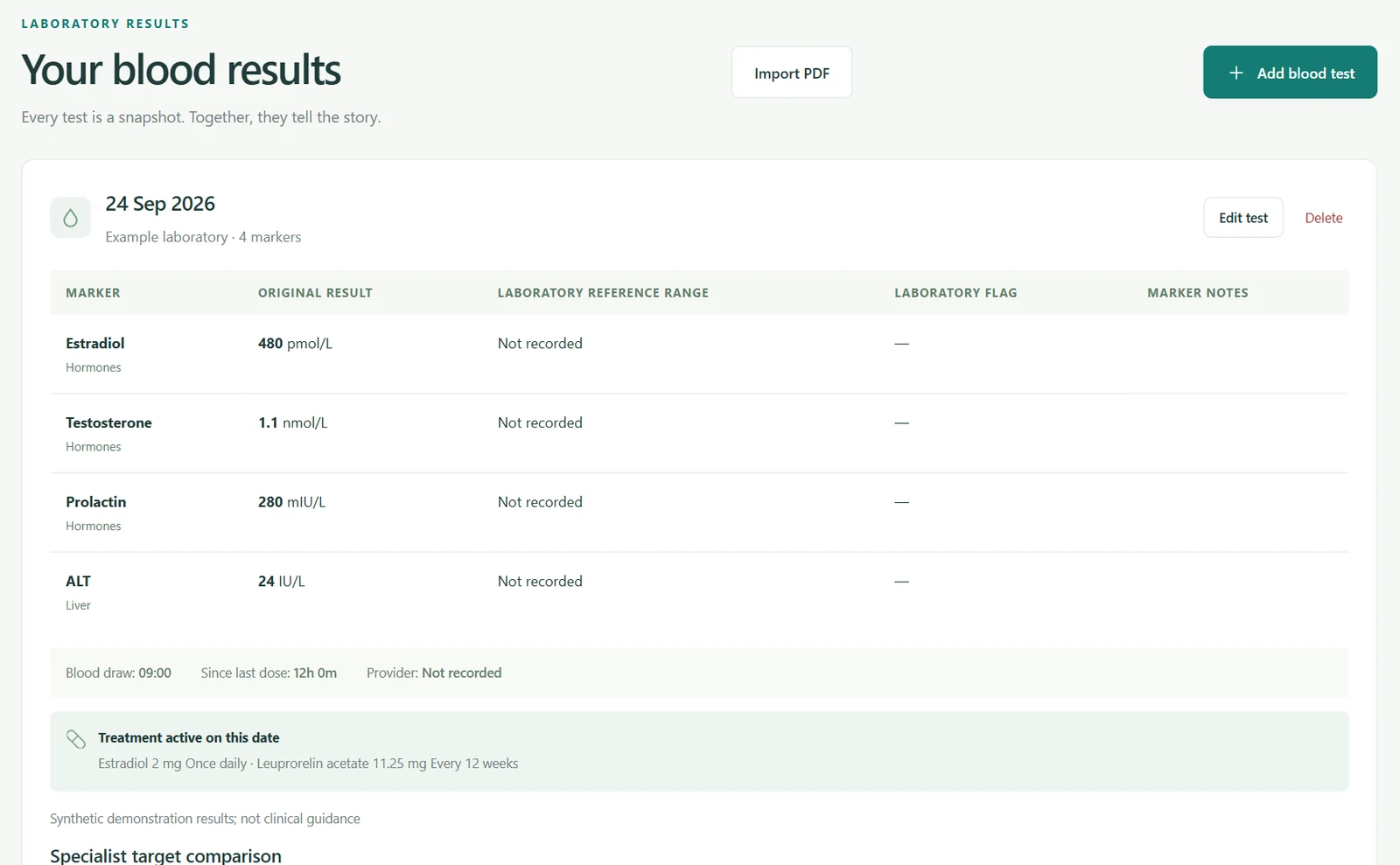
Keep laboratory values, original units and dose timing together.
A private hormone treatment record for transgender people. Connect your blood results, medication and milestones in one clear, personal workspace.
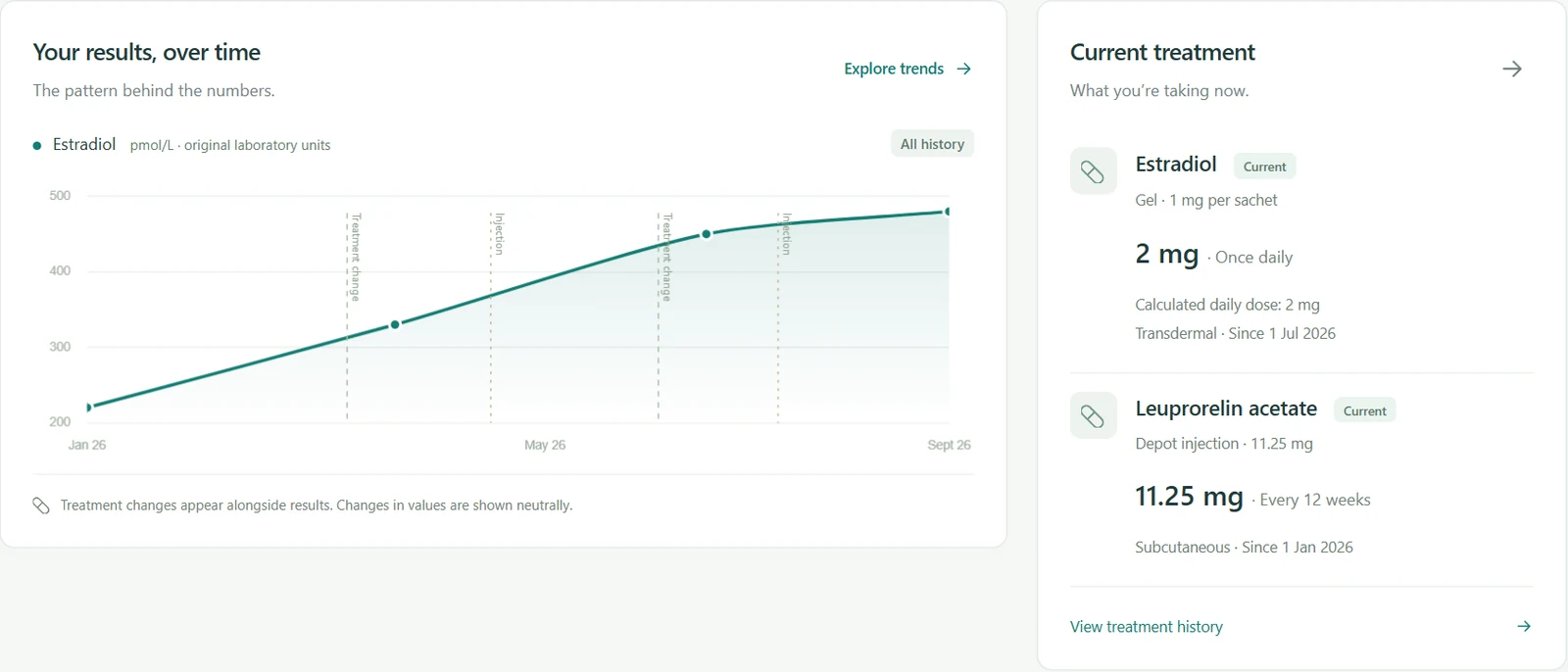
Built for transgender people tracking feminising, masculinising or individually prescribed gender-affirming hormone treatment. Keep the details of your journey together, in a record that belongs to you.
Keep laboratory values, original units and dose timing together.
Record regimen changes without losing the history behind them.
Download a treatment summary to bring to your next appointment.
See how consistently your logged doses follow their recorded spacing, with timing scores, average deviations and comparisons across periods.
Explore timing analytics →Upload supported Medichecks and NHS GP blood-test PDFs, review the extracted results, and keep original values, units, laboratory ranges and sampling context together.
Explore blood test tracking →Retain previous regimens, pauses and restarts alongside current medication.
Explore treatment history →Organise prescribed doses, supplies and actual administration dates.
Explore medication tracking →Download a treatment summary and choose whether to include dose timing, progress photos and supporting documents in one PDF. Review it before sharing.
See how treatment reports work →Keep your daily routine connected to your treatment record wherever you are. Sign in with the same email and password as the portal, confirm a dose on your phone and see it reflected in your online record.
Download Android appAndroid 8.0 or later · Version 0.1.4 · Early-access testing release · Direct APK download
Download the APK on your Android phone, open it and allow installation from your browser if prompted. If you already have the app, install this update over it to keep your sign-in and settings.
Sign in with your portal account, choose a due time for each daily dose and allow notifications and precise reminders. In the app’s Settings, check battery/background permissions and send a test notification. Phone restrictions can affect delivery.
Your portal account connects both views. Refresh the app after changing records on the website so your phone has the latest information.
Bring private laboratory reports and NHS GP results into the same personal record. Upload a supported PDF, review the extracted information and save the results alongside your treatment history.
Explore blood-test uploads →PDF layouts vary. For scanned or unrecognised reports, enter results manually and attach the original file.
Connect your daily records, dated photos and test results without judging appearance or drawing conclusions about treatment effectiveness.
Review earlier days, keep the time a dose was confirmed and record or correct its taken time. Ask the assistant to review recent confirmations, with unknown taken times clearly labelled.
Explore medication tracking →Go beyond dose logging: see per-medication timing scores, average intervals and deviations over 7 days, 30 days or 3 months. Compare recorded patterns with previous periods and blood-test dates. Scores describe logged timing, not treatment effectiveness or proof that every dose was taken.
Explore recorded dose timing →Upload several photos with one date taken and optional categories such as Face, Hair or Body. See them alongside medication changes, blood tests, injections and appointments, with treatment and nearest blood-result context.
Start your private timeline →Compare photos side by side using older dates or a custom selection. Download a Progress Snapshot or the full photo timeline PDF, and optionally include photo pages and supporting documents in your treatment report.
Explore PDF reports →Photos stay within your authorised workspace. The assistant can reference photo dates, categories and related records; it does not assess appearance. Timing records alone cannot explain why a blood result changed.
Your treatment history contains useful information. Ask Hormone Ledger helps you find it. When signed in and enabled, ask about recent blood results, medication history, injections and specialist guidance using everyday language.
See what Ask Hormone Ledger can doFind the original values and units together with your recorded treatment context.
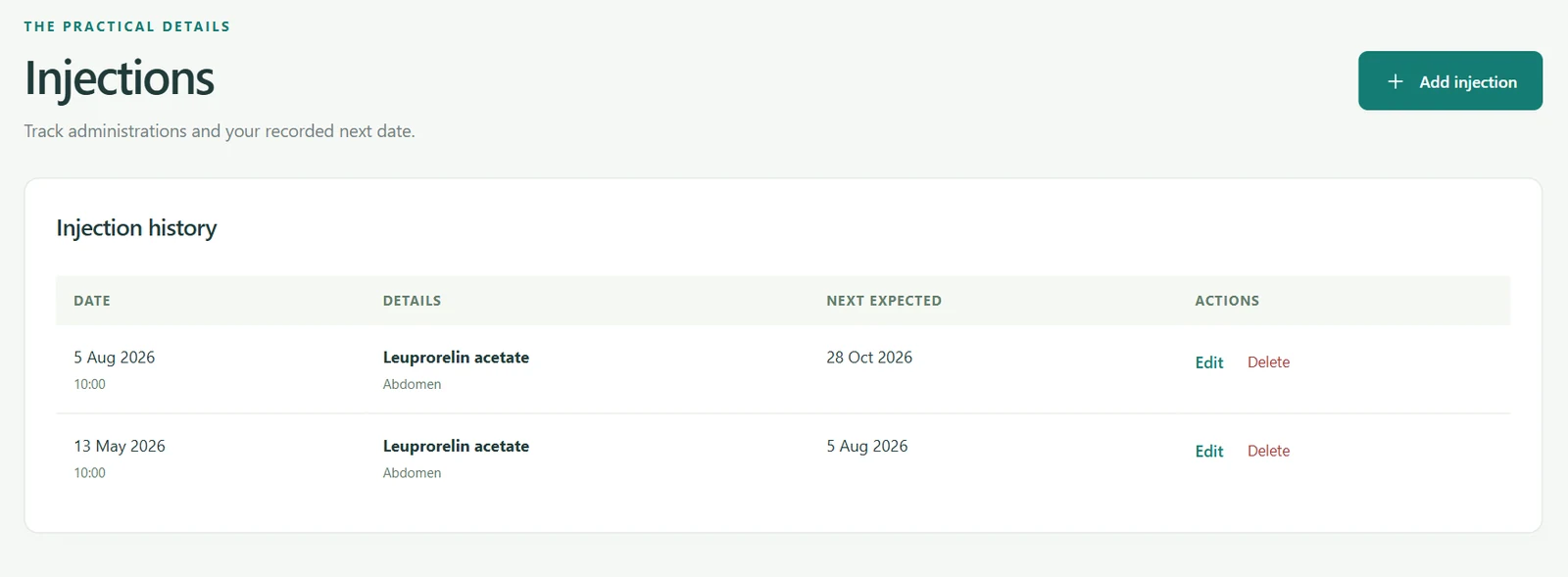
See actual administration dates and the next expected injection in one clear history.
Create a treatment summary from the details you have saved, then check it before sharing.
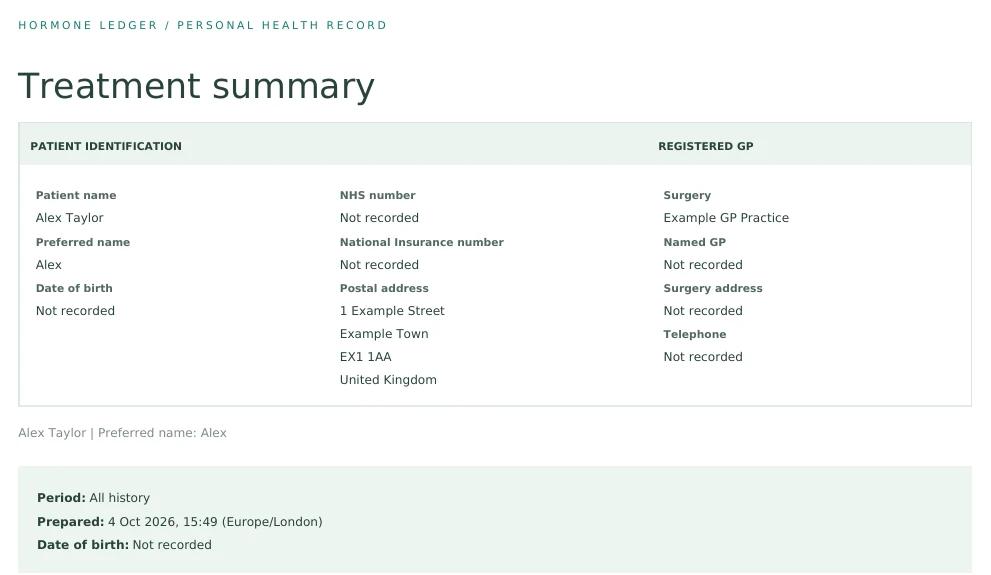
Add the personal and care-provider details you choose.
Record prescribed medication and review blood results before saving.
See saved trends and reminders, then prepare a report for an appointment.
Designed for transgender and non-binary people managing prescribed hormone treatment.
Personal records require sign-in. Export your information and review a report before sharing it. Read the Privacy Notice for access and account controls.
A personal hormone treatment record for transgender and non-binary people, bringing treatment history and blood results together.
Yes. Upload supported Medichecks reports and NHS GP results PDFs, then check the extracted dates, values, units and reference ranges before saving. Scans and other NHS export layouts may need manual entry; you can keep the original report in your document library.
No. It does not diagnose, prescribe or recommend treatment changes.
Yes. Review a downloaded summary before sharing it with your treating professional. Explore treatment reports.
Keep the record. See the patterns. Bring the context.